Why Time-Saving Tools Matter for Church Leaders

Why Time-Saving Tools Matter for Church Leaders
Time-saving tools in churches are defined as any system, software, or workflow that reduces the hours church leaders and staff spend on administrative tasks so they can focus on ministry. Understanding why time-saving tools matter for churches is not a technology question. It is a stewardship question. Church leaders who adopt the right tools report measurable gains: up to 40% stress reduction within 90 days and savings of 20–30 minutes per meeting in documentation alone. That recovered time goes directly back into pastoral care, discipleship, and community presence. Readypen was built specifically for this reality.
Why time-saving tools matter for church meeting efficiency
Meeting documentation is one of the most overlooked time drains in church administration. A typical staff meeting generates action items, decisions, and follow-ups that someone must capture, organize, and distribute. When that work falls to a pastor or volunteer, it pulls them away from ministry for hours after the meeting ends.
AI-assisted meeting documentation changes that equation. Automated transcription and summarization tools can cut post-meeting documentation time by 20–30 minutes per session. For a church running four staff meetings per month, that is up to two hours of recovered time every month from a single change.
The benefits of digital tools in church meetings extend beyond speed:
- Automatic action item capture: Tools that pull decisions and tasks from conversation reduce the chance that follow-ups get lost.
- Consistent formatting: Structured meeting summaries make it easier for absent staff members to stay informed without a phone call.
- Faster delegation: When action items are already written and assigned, leaders spend less time chasing accountability.
- Reduced communication bottlenecks: Starting from scratch on every communication is one of the biggest hidden time costs in church administration. AI-generated first drafts let leaders focus on pastoral voice and final judgment instead of blank pages.
Pro Tip: Run a one-month trial where every staff meeting is documented with an AI tool. Compare the time your team spends on post-meeting follow-up before and after. The gap will make the case better than any report.
Learning how to run efficient church staff meetings is the first step. Automating the documentation that follows is what locks in the time savings permanently.
How do time management systems help pastors avoid burnout?
Pastors average 55 working hours per week, often in unstructured settings where every hour is vulnerable to interruption. That pace, without a system to protect personal and ministry boundaries, leads directly to burnout. Structured time management is not a luxury for church leaders. It is a clinical necessity.

One framework gaining traction among ministry leaders is the “21 pods” system. It divides the week into 21 time blocks of roughly three hours each, covering mornings, afternoons, and evenings across seven days. Pastors assign each block to a category: sermon preparation, pastoral visits, administration, family, or rest. The result is a visual map of the week that makes overcommitment visible before it happens.
The health data behind this approach is concrete. Time management systems that protect personal and family time reduce cortisol levels by 22% and improve congregational awareness of pastor availability by 35%. Lower cortisol means sharper thinking and better emotional presence during pastoral conversations.
A practical way to apply time-blocking in a church context:
- Audit your current week. Write down every task from the past seven days and estimate the time each took.
- Identify your top three time drains. For most pastors, these are email, unplanned meetings, and administrative follow-up.
- Assign fixed blocks for deep work. Sermon preparation and strategic planning need protected, uninterrupted time.
- Create a buffer block daily. Reserve one 30-minute block each day for urgent pastoral needs that cannot be scheduled.
- Treat family and rest blocks as non-negotiable. Mark them the same way you mark a board meeting. They are not optional.
Good church admin time management starts with a system, not a tool. The tool supports the system. Without the system, even the best software adds noise instead of clarity.
How do automated workflows reduce administrative friction in churches?
Administrative friction is the gap between when a task happens and when it gets recorded. In churches, that gap creates backlogs, errors, and volunteer burnout. The most common example is expense reporting. A volunteer buys supplies for a ministry event, keeps the receipt in a pocket for two weeks, and then hands it to an overwhelmed admin who must reconstruct the context from memory.
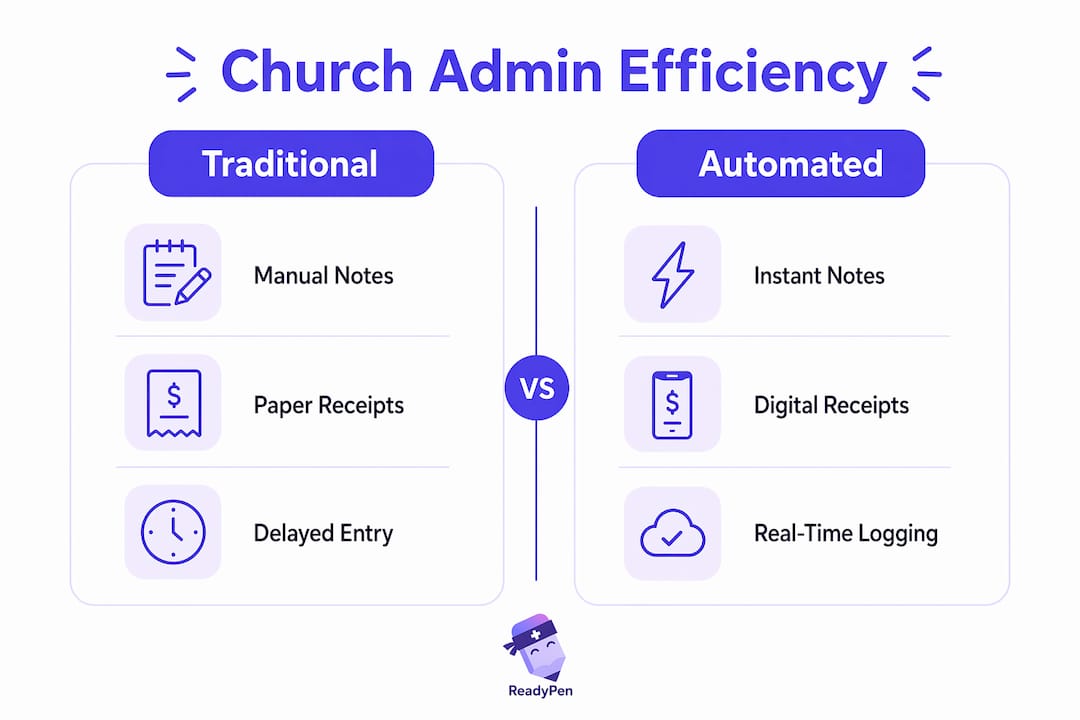
Frictionless administrative practices capture expense and administrative data at the point of transaction. That means a photo of the receipt taken immediately, linked to the correct budget line, with a note attached. No backlog. No guesswork. No follow-up email chain.
The table below shows how traditional church administration compares to a friction-reduced workflow across four common tasks.
| Task | Traditional approach | Friction-reduced approach |
|---|---|---|
| Expense reporting | Paper receipts collected weekly or monthly | Photo captured at point of purchase, logged immediately |
| Meeting notes | Manual notes typed after the meeting | AI-generated summary distributed within minutes |
| Volunteer scheduling | Phone calls and text threads | Digital scheduling tool with automated reminders |
| Budget tracking | Spreadsheet updated manually | Real-time dashboard updated at point of entry |
Volunteer turnover makes this even more critical. When a key volunteer leaves, the institutional knowledge they carried often leaves with them. Systems that capture information in real time protect the church from that loss. The goal is to make the process independent of any one person’s memory or availability.
What are the most common pitfalls when churches adopt new tools?
The most common mistake churches make is treating tool adoption as an IT project. Technology adoption fails when it is driven by features instead of the specific tasks consuming the most time. A church that buys a project management platform without first identifying its top three administrative bottlenecks will end up with a more expensive version of the same problem.
A second pitfall is what operations experts call “automating the drift.” Without clear ministry goals, the time gained from automation gets absorbed by low-impact tasks. The calendar fills back up. The stress returns. The tool gets blamed when the real issue is the absence of intentional priorities.
A third risk is over-relying on verbal follow-up. Churches that depend on memory and verbal reminders instead of documented systems carry a fragile operational structure. One sick pastor or one absent volunteer can stall an entire ministry initiative.
How to avoid these pitfalls:
- Start with your top three time-consuming tasks. If a tool does not reduce effort on those specific tasks, it is adding complexity, not relief.
- Set a ministry goal before selecting a tool. “We want to spend 30% less time on post-meeting follow-up” is a goal. “We want to use AI” is not.
- Use peer validation to drive adoption. Stories from other church leaders about specific time saved resonate far more than formal training sessions or vendor demos.
- Review tool impact at 90 days. If the tool has not measurably reduced the target task, adjust or replace it.
Pro Tip: Before rolling out any new tool to your full staff, run a two-week pilot with one ministry team. Collect specific time data. Let that team tell the story to the rest of the staff. Peer voices close adoption gaps faster than any top-down mandate.
Reviewing documentation efficiency for church staff before selecting tools gives leaders a practical baseline for measuring real impact.
Key Takeaways
Time-saving tools matter for churches because they convert administrative hours into ministry hours, and that conversion is the most direct path to reducing pastoral burnout and improving congregational impact.
| Point | Details |
|---|---|
| Meeting documentation saves real time | AI tools cut post-meeting documentation by 20–30 minutes per session, compounding across every meeting. |
| Time-blocking prevents burnout | Structured scheduling systems like 21 pods protect personal boundaries and lower stress measurably. |
| Friction-free admin protects knowledge | Capturing data at the point of transaction prevents backlogs and reduces dependence on any one person. |
| Strategy must precede tool selection | Tools adopted without clear ministry goals tend to add complexity rather than reduce workload. |
| Peer validation drives adoption | Stories from trusted colleagues about specific time saved are more effective than formal training. |
Time as stewardship: a perspective on tools and ministry
Most conversations about church technology focus on efficiency. I think that framing misses the deeper point. Time is not just a resource to manage. For a pastor or ministry leader, time is a stewardship issue in the same category as finances and relationships.
When I look at how church leaders actually spend their weeks, the pattern is consistent. The hours that matter most, the pastoral conversation, the sermon that lands, the board meeting where a hard decision gets made well, those moments require a leader who is present and not mentally running through a backlog of unfinished administrative tasks. Every hour saved on documentation is an hour available for that kind of presence.
The concern I hear most often is that technology will make ministry feel transactional. I understand that instinct. But the opposite is true when tools are chosen well. A pastor who is not drowning in follow-up emails is more available for the unexpected conversation after Sunday service. A church admin who is not manually typing meeting notes for two hours is more available to support the people who walk through the door needing help.
The risk is not technology. The risk is adopting tools without a clear sense of what you are protecting. If the goal is more time for relational ministry, then every tool decision should be measured against that goal. Does this tool give me more time with people? If yes, it earns its place. If not, it does not matter how many features it has.
— Robbie
Readypen makes church meeting documentation automatic
Church leaders who run multiple meetings each week know the cost of manual note-taking. Someone has to capture what was said, who is responsible, and what comes next. That task either falls to a pastor who should be leading the conversation or gets skipped entirely, leaving the team without a reliable record.

Readypen is built specifically for churches, pastors, and ministry teams. It generates meeting notes and summaries automatically from conversations or recordings, so your team walks away from every meeting with a structured document ready to share. No manual typing. No lost action items. Readypen also offers a church board meeting template to give your most important meetings a consistent, professional structure from the start.
FAQ
Why do time-saving tools matter for small churches?
Small churches rarely have dedicated administrative staff, so pastors and volunteers absorb every documentation and follow-up task. Time-saving tools reduce that burden so leaders can focus on ministry rather than paperwork.
How much time can AI meeting tools save per week?
AI-assisted meeting documentation tools save 20–30 minutes per meeting in post-session documentation. For a church running four meetings per month, that adds up to two or more hours recovered each month.
What is the 21 pods time management system for pastors?
The 21 pods system divides the week into 21 time blocks of roughly three hours each and assigns each block to a specific category such as sermon prep, pastoral care, administration, or rest. It helps pastors see overcommitment before it becomes burnout.
How do churches avoid adopting tools that add complexity?
Churches should identify their top three most time-consuming tasks before selecting any tool. If a tool does not reduce effort on those specific tasks, it is likely adding complexity rather than providing relief.
What is the biggest risk of automating church administration?
The biggest risk is automating without clear ministry goals. When gained time is not directed toward intentional priorities, it gets absorbed by low-impact tasks and the original problem returns.