Ministry Operations Tools for Church Leaders: 2026 Guide

Ministry Operations Tools for Church Leaders: 2026 Guide
A ministry operations tool is a centralized digital platform that consolidates a church’s administrative, financial, and pastoral workflows into one unified system. Rather than juggling spreadsheets, group chats, and disconnected apps, church administrators get a single place to manage member records, process donations, schedule volunteers, and coordinate events. The industry term for this category is Church Management Software, or ChMS, and it has grown well beyond basic contact databases.
Here is what a modern ministry operations tool typically handles:
- Member management: Profiles, attendance tracking, and visitor follow-up
- Online giving: Recurring donations, text-to-give, and mobile contributions
- Volunteer scheduling: Role assignments, confirmations, and availability tracking
- Event coordination: Registration, logistics, and calendar sync
- Financial reporting: Budget tracking, fund accounting, and board-ready statements
- Communication: Targeted emails, SMS alerts, and push notifications
- Service planning: Worship order building, team coordination, and streaming integration
Platforms like Amplify by Ministry Brands represent this category well, integrating member tools with giving, communication, websites, and reporting in one connected system.
What are the core features and benefits of ministry operations tools?

Church operations software does its best work when it replaces the patchwork of tools most ministry teams already use. The average church admin manages attendance in a spreadsheet, donations in a separate app, and volunteer schedules in a group chat. A unified platform cuts that friction significantly.
Key features worth evaluating:
- Integrated giving: Members set up recurring donations or give via text, which stabilizes cash flow and reduces manual reconciliation every week
- Church accounting: Fund tracking, payroll processing, and financial statements built for nonprofit accountability, not generic business use
- Communication tools: Audience segmentation lets you send relevant messages to volunteers, first-time guests, and parents without blasting everyone
- Website and app sync: Content stays current across your digital channels automatically, without duplicate data entry
- Service planning modules: Build worship orders, assign roles, and coordinate with streaming platforms from one place
- Role-based access: Staff and volunteers see only what they need, which protects sensitive member data
The benefit that church leaders consistently report is time. When administrative tasks run on a connected system, pastors spend less time chasing information and more time with people. Scalable solutions also matter here: a platform that works for 80 members should grow with you to 800 without forcing a painful migration.
How to implement a ministry operations tool successfully
Getting the tool right matters less than getting the rollout right. Most failed adoptions trace back to skipping the groundwork, not choosing the wrong software.
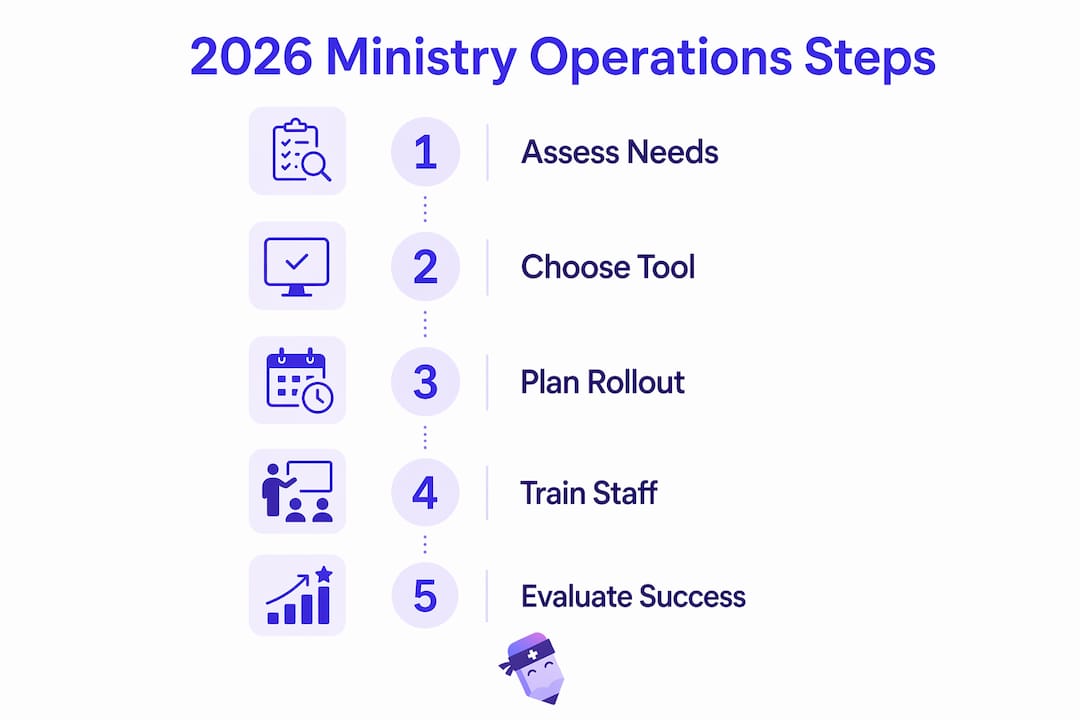
- Audit your current workflows first. Map every administrative process your team runs weekly, from attendance tracking to donation reporting. Automating a broken process just makes the mess faster.
- Select based on your church’s actual size and needs. A small congregation rarely needs enterprise-level complexity. Pricing structures vary widely, with some providers offering flat-rate plans, modular add-ons, and free trial periods to help you assess fit before committing.
- Plan your data migration carefully. Data migration is the most significant hurdle in any transition, because years of member records often live in spreadsheets or legacy systems with inconsistent formatting. Vendors that offer guided migration wizards or dedicated onboarding support reduce the risk of losing records during the move.
- Train staff with role-based permissions from day one. Assign each team member only the access their role requires. This protects member privacy and prevents accidental data changes during the learning curve.
- Adopt in phases, not all at once. Start with the two or three functions your team uses most, then add modules as comfort grows. Trying to centralize every function simultaneously overwhelms staff and slows adoption.
Pro Tip: Before signing with any vendor, ask specifically about their migration support. A guided onboarding process is worth more than a lower monthly price if it prevents data loss during the transition.
Mobile-responsive design also matters more than most teams expect. Church staff coordinate on phones between services, during events, and off-site. A platform that works well on mobile keeps your team connected without requiring a desk.
What trends are shaping ministry operations tools in 2026?
The biggest shift happening right now is the move from passive data storage to active ministry partnership. Early ChMS platforms were essentially digital filing cabinets. What’s emerging in 2026 looks quite different.
AI is becoming core to how these platforms operate, enabling workflows that would have required a dedicated staff member just a few years ago:
- Sermon content generation: AI drafts emails, social posts, and study guides from a single message, saving hours of content work each week
- Volunteer scheduling automation: Smart scheduling tools detect burnout patterns, flag availability conflicts, and send confirmations automatically
- Pastoral care alerts: AI monitors engagement data and surfaces members who may need a follow-up call before they quietly drift away
- Modular pricing: More providers now let churches pay only for the modules they use, making quality tools accessible to smaller congregations
- Deeper integrations: Accounting platforms, communication tools, and streaming services connect more tightly, reducing manual handoffs between systems
The framing shift is worth noting. Industry experts now describe modern church management software as an operating system for ministry, not just a database. That distinction changes how leaders should evaluate these tools: not “does it store our data?” but “does it help us act on it?”
How Readypen fits into your ministry operations stack
One function that general ChMS platforms rarely handle well is meeting documentation. Most ministry teams run multiple meetings each week, from board sessions to staff check-ins to volunteer briefings, and someone always ends up with incomplete notes or no notes at all.
Readypen addresses exactly that gap. Built by Video-Joy LLC in Ceres, CA, Readypen is an AI-powered meeting documentation tool designed specifically for churches, pastors, and ministry organizations. It automates meeting notes, summaries, and structured documents from live conversations or recordings, so nothing important gets lost after the meeting ends.
What Readypen does for ministry teams:
- Generates structured meeting notes and summaries automatically, without a designated note-taker
- Produces documents from recordings, covering meetings that happened before anyone thought to document them
- Supports team accountability by creating a clear, searchable record of decisions and action items
- Offers tiered pricing designed to fit ministry budgets, not enterprise contracts
- Prepares for iOS App Store availability, extending access to staff working on mobile
Pro Tip: Use Readypen alongside your ChMS to close the documentation gap. Your ChMS tracks people and giving; Readypen captures what your team actually decided and committed to in every meeting.
The combination covers what neither tool handles alone: operational data on one side, institutional memory on the other.
How should ministry teams think about data security?
Member data is sensitive. Donation records, pastoral care notes, and family information carry real privacy obligations, and church administrators are responsible for protecting them even without the regulatory pressure that applies to healthcare or finance.
When evaluating any ministry management tool, ask vendors directly about encryption standards for data at rest and in transit, access control policies, and where member data is physically stored. Role-based permissions, mentioned in the implementation section, are the first line of defense against internal data exposure. Regular data backups and clear breach notification policies matter just as much. Cloud-based platforms generally offer stronger security infrastructure than locally hosted software, but only if the vendor maintains it actively. Verify that your provider runs regular security audits and publishes a clear privacy policy.
What does successful adoption actually look like?
Churches that get the most from ministry workflow solutions tend to share one habit: they define what success looks like before they launch anything. A congregation that set a goal of reducing Sunday volunteer no-shows, for example, can measure whether automated scheduling reminders actually moved that number. Without a baseline, it’s hard to know whether the tool is working.
Phased rollouts consistently outperform big-bang launches. Starting with member management and giving, then adding event coordination and communication tools over the following months, gives staff time to build confidence with each module. Teams that try to activate every feature at once often revert to old habits within weeks. The workflow automation that sticks is the kind that replaces one specific pain point at a time.
What types of ministry operations tools are available?
Not every church needs an all-in-one platform. The category breaks down into several distinct types, and the right choice depends on your team’s size, budget, and biggest administrative headaches.
- All-in-one ChMS platforms: Cover member management, giving, communication, events, and reporting in a single subscription. Best for churches that want one vendor and one login.
- Volunteer management tools: Focused specifically on scheduling, role assignment, availability tracking, and automated reminders for volunteer teams.
- Donation and giving platforms: Handle online giving, recurring contributions, text-to-give, and financial reporting without the broader member management features.
- Event planning tools: Manage registration, ticketing, logistics, and calendar coordination for services, conferences, and community programs.
- Communication platforms: Email, SMS, and push notification tools that integrate with member databases for targeted outreach.
- Meeting documentation tools: AI-powered tools like Readypen that capture, summarize, and organize what happens in ministry meetings, filling a gap that most ChMS platforms leave open.
- Church accounting software: Dedicated fund accounting, budget tracking, and financial reporting built for nonprofit structures, separate from general-purpose tools like QuickBooks.
Effective ministry technology often combines a central database with specialized integrations rather than relying on a single tool for everything. That approach gives teams the flexibility to use the best solution for each function while keeping member data unified at the center.
Key Takeaways
A ministry operations tool works best when it replaces disconnected processes with a unified system, adopted in phases, with clear goals and strong vendor support for data migration.
| Point | Details |
|---|---|
| Definition of ChMS | A ministry operations tool centralizes member records, giving, scheduling, and communication in one platform. |
| Implementation order | Audit workflows first, then select, migrate data carefully, and train staff with role-based permissions. |
| AI in 2026 | AI now automates volunteer scheduling, pastoral care alerts, and sermon content generation inside ministry tools. |
| Meeting documentation gap | Tools like Readypen capture decisions and action items from meetings, covering what ChMS platforms typically miss. |
| Tool type selection | All-in-one platforms suit most churches; specialized tools for giving, events, or documentation fill specific gaps. |
Ready to close the meeting documentation gap in your ministry? Readypen’s AI meeting tools for ministry are built specifically for church leaders who run meetings without dedicated admin support.