Top 4 Godochurch.com Alternatives 2026

Top 4 Godochurch.com Alternatives 2026
Managing accurate and searchable church meeting notes takes too much manual work and creates reporting gaps. Most meeting notes tools miss formal motions, votes, and denominational compliance features, forcing staff to check records or build custom workflows. This comparison reviews four alternatives with export options and compliance controls so administrators can choose one that fits their church size and workflow needs.
Table of Contents
- ReadyPen
- Planning Center
- Tithely Church Management (formerly Breeze ChMS)
- TouchPoint Software
- Comparison of alternatives
ReadyPen

At a Glance
According to the company, ReadyPen delivers meeting summaries in under 2 minutes after a recording finishes. The tool automatically transcribes meetings and sermons and aims to capture motions, votes, and formal decisions for denominational compliance. It emphasizes security with role based collaboration and end to end encryption for stored records.
Core Features
ReadyPen offers Automatic transcription of meetings and sermons and produces structured summaries that list key decisions, scripture references, and action items. It creates searchable archives, generates minutes that record motions, votes, and decisions, and supports multiple governance types across denominations. The service runs on Base44 and is operated by Video Joy LLC, based in Ceres, CA, and the team is preparing an iOS App Store launch.
Key Differentiator
ReadyPen automates meeting minutes that include motions, votes, and decisions formatted for different church governance structures. That output targets the specific record keeping needs of boards, finance committees, and denominational reporting. The focus on exportable, compliant minute records separates it from general purpose note tools.
Pros
The biggest time saver is automation that removes hours of manual note taking after board meetings. ReadyPen captures motions and votes as discrete items so you do not recheck recordings to confirm decisions. Its encryption and role based access limit who can view sensitive minutes, and support for sermon documentation and multiple meeting types keeps all meeting records in one searchable archive.
Cons
- Dependent on audio quality for transcription accuracy
Who It’s For
ReadyPen fits church secretaries, pastors, and administrators who run frequent meetings and have limited admin support. It works well for congregations that must file formal minutes for governance or denominational compliance. Teams that record sermons, finance meetings, and ministry planning sessions will get the most value.
Unique Value Proposition
Capturing motions, votes, and decisions as discrete, exportable records reduces time spent reconciling minutes with audio. That clarity speeds approval processes and simplifies reporting to denominational bodies. The vendor reports one paying user contributing to MRR so far, which suggests the product is early stage and focused on proving its workflow for churches.
Real World Use Case
A church secretary uses ReadyPen after a board meeting and reviews the generated minutes in under two minutes, per that turnaround claim. The minutes list motions, who moved them, the vote outcome, and assigned action items. That single document replaces hours of manual transcription and follow up.
Pricing
ReadyPen offers a free tier for basic use. Paid plans start at $18/month and pricing is structured across four tiers. Larger churches or multi ministry setups will likely move to a paid plan for expanded features and storage.
Website: https://readypen.io
Core Features
ChurchTrac centralizes people management and a member directory, plus check-in and attendance tracking, so volunteers can learn quickly. The platform includes worship planning, volunteer scheduling, event registration, and both online and text giving, along with a built-in website and mobile app. Admins also get automations and basic church accounting features, with expanded accounting offered as an add-on.
Planning Center
At a Glance
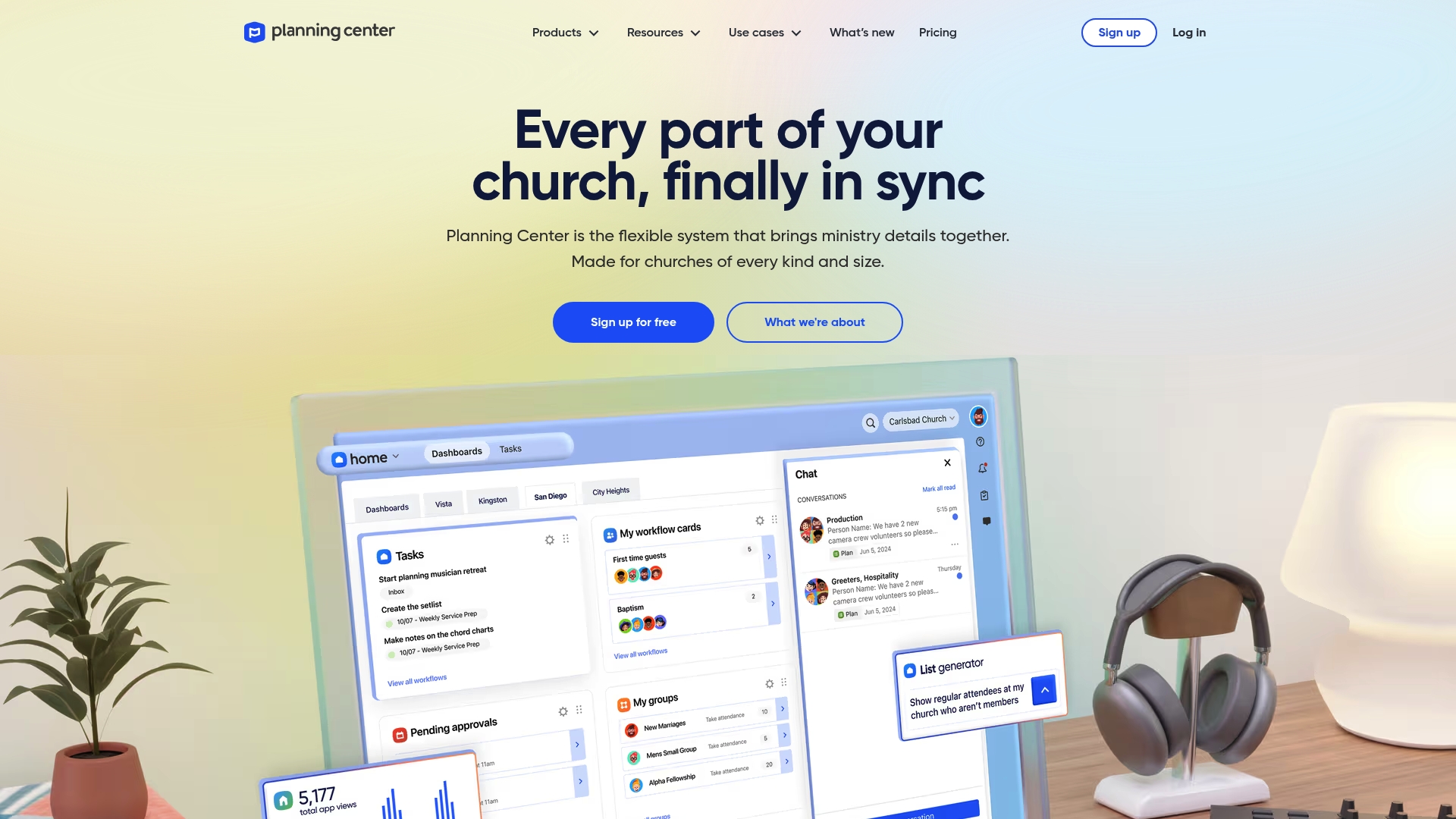
Planning Center reports a starting plan of $15/month for 20 team members. That pricing point makes it approachable for small staffs managing weekly services and volunteer rosters. The product packs modules for worship planning, volunteer management, check-ins, donations, and communications into a single account.
Core Features
Planning Center groups related ministry tasks into distinct modules that work across mobile and web. It offers worship planning and scheduling, volunteer scheduling and management, service order creation and customization, a mobile app for tasks and notifications, and built-in communication tools for email and group messaging. These modules share roster and event data so staff do not reenter the same information across tools.
Key Differentiator
Planning Center stands out for its module-based approach that ties planning, volunteers, and giving to the same people records. That tight integration keeps service orders, rehearsal notes, and volunteer assignments linked to profiles and calendars. Churches that run multiple ministries under one staff team will see the benefit of shared data across modules.
Pros
The product consolidates several responsibilities into one account which reduces the number of separate logins staff must manage. The mobile app lets volunteers receive assignments and notifications while away from the office. Pricing tiers scale with congregation size so small teams can start small and add modules as they grow. Training guides and a community forum help new administrators learn the system and solve common configuration questions.
Cons
- Pricing and plan structure may feel complex for churches that want a simple per-seat price. Some buyers ask for clearer tier boundaries and feature lists.
- Full functionality depends on internet access. Offline capability is limited which affects remote events and venues with poor cell service.
- Larger organizations with heavy customization needs report that setup can take substantial administrative time and occasional workflow friction.
When It May Not Fit
If your staff needs strong offline support for check-ins or public-facing kiosks, this product may not match that requirement. If you want a single flat monthly fee with one predictable feature bundle, the tiered module pricing can feel fragmented. Churches with very large teams and unique workflows should budget for setup time and training before launching.
Notable Integrations
Planning Center connects with BoxCast, Checkr, Mailchimp, PraiseCharts, RehearsalMix, SongSelect, and Zapier. These integrations cover streaming, background checks, email marketing, chart purchases, rehearsal tracks, licensing, and automation.
Who It’s For
This product fits church staff and ministry leaders who need a centralized set of tools for weekly services, volunteer coordination, event planning, and giving. It matches teams that can dedicate some time to initial setup and want mobile access for staff and volunteers.
Real World Use Case
A midweek worship team uses Planning Center Worship and Teams to build service orders, assign musicians, and share rehearsal recordings. Volunteers receive schedules in the app and confirm availability. The result is less back-and-forth email and more predictable coverage on Sundays.
Pricing
Planning Center’s marketing materials state a free basic plan is available and that paid tiers start at $15/month for 20 team members. Additional modules and higher tiers raise the monthly cost for larger congregations or added functionality.
Website: https://planningcenter.com
Tithely Church Management (formerly Breeze ChMS)
At a Glance
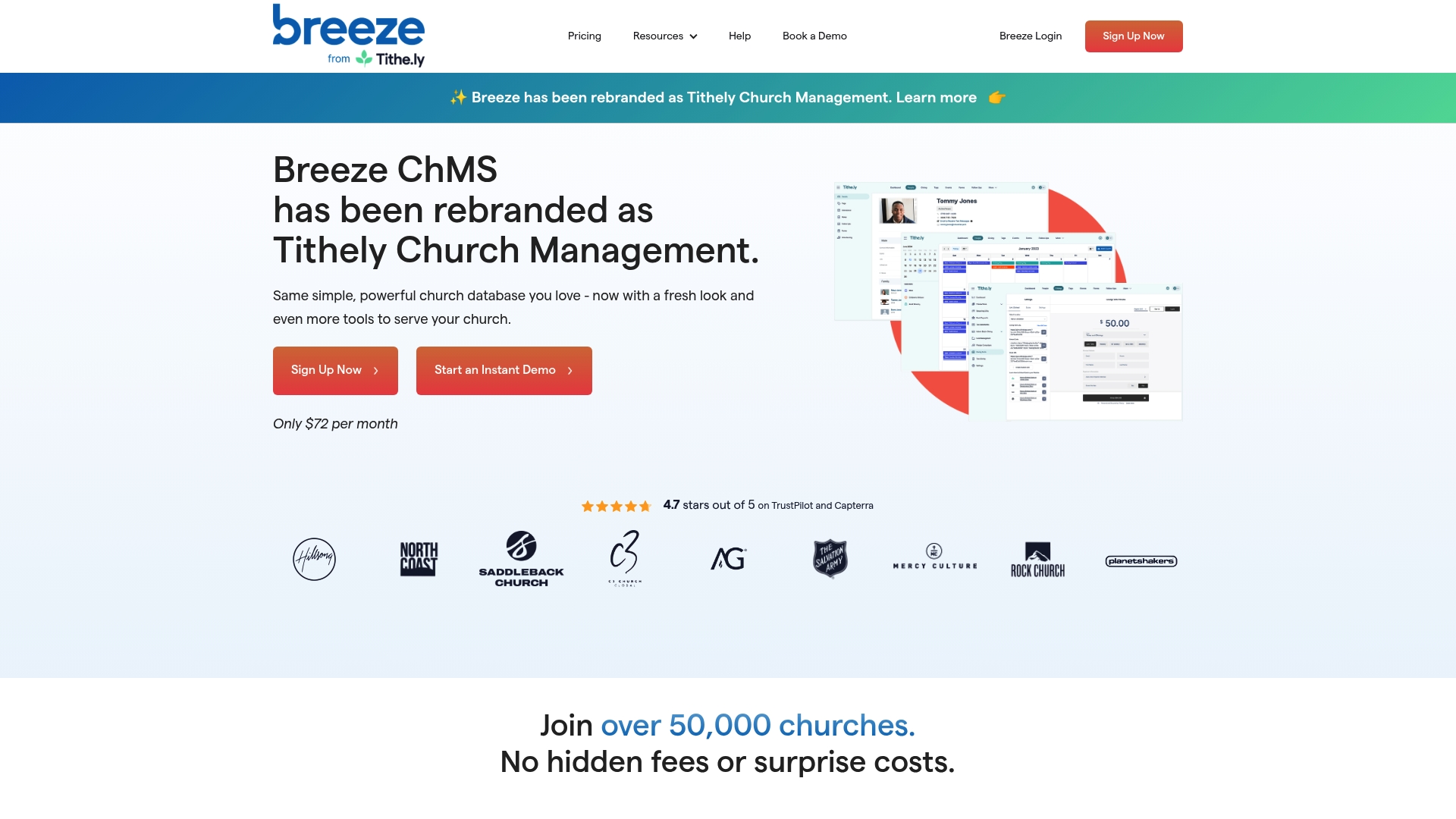
The vendor advertises use by more than 50,000 churches worldwide. The product bundles member records, event planning, volunteer scheduling, forms, and service planning into a single interface. Pricing for core features starts around $72/month, with optional add-ons and worship bundles available. The vendor also offers free support and data migration during onboarding.
Core Features
Tithely Church Management centralizes a people database management system for member records, attendance, and contact history while offering group management and connection tools. Event scheduling ties to resource allocation and volunteer assignments, and form creation captures custom registration and contact details. Service planning includes worship tools such as a Song Library and optional Worship App integrations when those upgrades are enabled.
Key Differentiator
The product stands out for its focus on simplicity and transparent flat-rate pricing that avoids surprise fees for core functionality. That approach appeals to churches that need predictable monthly costs and a short learning curve for staff and volunteers. The flat-rate framing reduces budget conversations during vendor selection.
Pros
The interface is straightforward and reduces admin friction for staff entering member information or scheduling volunteers. The vendor reports strong user ratings such as 4.7 stars on TrustPilot and Capterra, which reflects positive community feedback in reviews. Migration help is included, so moving contacts and histories into the system typically happens with vendor support, and the platform includes free giving, mobile apps, and unlimited users and contacts for basic use.
Cons
-
Customer support availability and responsiveness can be inconsistent according to buyer reviews. This can slow issue resolution for time sensitive tasks.
-
Important features like SMS and some worship planning integrations require paid add-ons with extra costs. That increases the total monthly expense for full functionality.
-
Pricing can vary by plan and church size, making comparisons harder for churches with tight budgets. Some buyers report confusing tier choices.
-
Larger or highly complex churches may face a learning curve as they map advanced workflows into the system.
When It May Not Fit
If your church needs deep customization for complex reporting or specialized role permissions, this product may feel restrictive. If you require guaranteed fast support response windows, reported variability in support could be a liability. If you need built-in SMS or worship planning without added fees, the add-on model will raise monthly costs.
Who It’s For
Staff and volunteers at small to mid-sized congregations who want an easy-to-use management tool will find this product a strong match. Administrators who value predictable billing and a short training period will benefit most. Churches that plan to add worship planning or SMS should budget for add-ons.
Real World Use Case
A mid sized church uses the system to record member profiles, track attendance, and manage small groups. Staff schedule volunteers for weekly services and assign rooms and equipment through event scheduling. The same platform handles online giving and donation records while the vendor moves existing contact data during onboarding.
Pricing
Core plans start at around $72/month. Optional modules, worship bundles, and integrations add to the base price depending on which upgrades a church selects. The vendor describes that pricing model as flat rate for core features with extra costs for add-ons and larger packages.
Website: https://breezechms.com
TouchPoint Software
At a Glance
Starts at $6,000 annually, with pricing calculated by active records instead of fixed tiers. TouchPoint combines giving, check-in, groups, communication, and reporting into one database for churches that manage complex operations. The vendor positions the product as partnership driven, with custom support and onboarding for larger ministries.
Core Features
A single church database links member profiles, family records, and attendance so staff do not maintain parallel spreadsheets. Real-time engagement scoring highlights people who need to follow up while automated workflows reduce repetitive admin work. The platform includes a custom-branded mobile app, a native giving engine, volunteer scheduling, event registration, and multi-site management, plus translation and multi-language options for diverse congregations.
Key Differentiator
Focus on multi-site complexity separates TouchPoint from lightweight systems. The product pairs software with a partnership model that emphasizes custom onboarding and ongoing support tailored to larger churches. That combination targets churches that need both technical features and hands-on vendor collaboration.
Pros
TouchPoint delivers a unified ecosystem that reduces tool overlap and keeps member data consistent across teams. The active-record-based pricing can scale with a growing congregation so costs align with database size. The vendor advertises dedicated support and custom onboarding, which helps ministries migrate complex data and configure multi-site workflows.
Cons
-
Price could be high for smaller churches or ministries with simple needs. The cost places it out of reach for very small budgets.
-
The platform has a learning curve because it covers many functions. Staff may need training before they use advanced features.
-
As a cloud system, it requires a reliable internet connection for day to day operations. Offline scenarios will be limited.
When It May Not Fit
If your church maintains a small roster and few programs, the feature set will exceed your needs and raise costs. Churches that prefer a lightweight, low training option will find the interface more complex than simple tools. Parishes with intermittent internet or frequent offline services will need an alternative with stronger offline support.
Who It’s For
Mid-sized to large churches and multi-campus networks that need centralized operations and consistent member records will benefit most. Staff who want in-depth reporting, volunteer coordination, and a custom-branded member app will get value from this platform. Churches that expect vendor partnership during rollout will appreciate the onboarding focus.
Real World Use Case
A multi-campus church uses TouchPoint to unify attendance, giving, volunteer schedules, and communication across three sites. Staff create automated workflows for newcomer follow up and volunteer reminders, reducing manual tasks. The engagement scores flag at-risk families so care teams intervene faster.
Pricing
Starting at $6,000 annually, with a scalable, active-record-based model. The vendor states features are included at all tiers with no tiered add-on charges. Exact costs vary with active record counts and implementation needs.
Website: https://touchpointsoftware.com
Comparison of alternatives
Churches looking to improve administrative efficiency in meeting and sermon documentation, volunteer coordination, or multi-campus management have viable options, each emphasizing distinct priorities.
Documentation and Compliance
ReadyPen surpasses other tools in automating meeting minute preparation, particularly addressing church governance recording. It transcribes audio and formats decisions into compliance-ready records, saving administrators significant manual effort. Churches that prioritize formal documentation will see added value in its compliance-focused output. In contrast, options like Tithely target predictable pricing but require add-ons for comparable functionality.
Volunteer Coordination and Event Management
Planning Center excels at volunteer management through interconnected modules covering event scheduling, service planning, and roster updates. This integration streamlines workflows for weekly service teams, minimizing coordination challenges. TouchPoint Software stands out by serving multi-campus networks, focusing on scaled execution and member engagement tracking, benefiting larger congregations.
Best fit
- Churches focused on frequent sermon recordings and efficient transcription will prefer ReadyPen for its fast and structured outputs.
- Weekly-service managers organizing volunteers across multiple roles will value Planning Center’s tailored scheduling and communication modules.
- Small parishes in need of predictable flat-rate costs can consider Tithely, reducing budget uncertainties and easing onboarding.
Our pick
ReadyPen’s unique ability to automate the formatting of meeting and sermon minutes for denominational compliance positions it as the leading choice for congregations emphasizing documentation. Its clear focus on reducing administrative workload through tailored outputs makes it particularly suitable for formal governance setups while also supporting sermon records for multiple church types.
To determine the most suitable church meeting notes software for your needs, consider the following comparisons of key features and pricing structures:
| Product | Key Differentiator | Best For | Pricing | Notable Limitation |
|---|---|---|---|---|
| ReadyPen | Automated compliance-friendly meeting minutes with decisions | Churches requiring formal denominational records | Free or $18/month paid tiers | Dependent on audio quality for transcription accuracy |
| Planning Center | Module-based integration for a comprehensive toolset | Ministries needing centralized task management | $15/month for 20 team members | Offline capabilities are limited |
| Tithely Church Management | Flat-rate pricing model with member record management | Churches preferring predictable costs | Starts at $72/month | Requires paid add-ons for SMS and worship modules |
| TouchPoint Software | Supports multi-site workflows with custom onboarding | Large or multi-campus church networks | $6,000 annually | High price may deter smaller organizations |
Finding Reliable Church Meeting Notes Beyond GodoChurch.com Alternatives
Church secretaries, pastors, and ministry teams often struggle with time-consuming manual note taking after meetings. Readypen offers a focused solution that automatically transcribes and summarizes meeting recordings, capturing motions, votes, and decisions needed for compliance. This helps reduce hours spent reconciling minutes, making board and finance reporting faster and more accurate.

If your church wants to reduce admin burden without sacrificing security or accuracy, see how Readypen’s AI-powered system fits your needs. Visit Readypen Home to try the free tier and start generating clear, exportable meeting minutes in under two minutes.
FAQ
How does Readypen automate meeting minutes for church meetings?
Readypen automates meeting minutes by capturing motions, votes, and decisions in a structured format. This feature targets the specific record-keeping needs of boards and finance committees, allowing users to draft minutes quickly without manual note-taking. This streamlined process reduces the time spent after meetings and simplifies record management.
What is the difference between Readypen and Planning Center in terms of pricing?
Planning Center reports a starting plan of $15/month for 20 team members, making it accessible for small staffs. Readypen, on the other hand, offers a free tier for basic use, with paid plans starting at $18/month. Readypen’s pricing structure supports organizations that prefer initial cost flexibility while potentially expanding features later on.
Which platform works better for large church environments, Readypen or Tithely Church Management?
Tithely Church Management appeals to larger congregations as it combines member records and event planning tools in a single interface, starting around $72/month. Readypen, while efficient for small to mid-sized churches, focuses on automating specific meeting records rather than a wide array of management functions. Teams with complex operational needs may find Tithely a better match.
Can I use Readypen for sermon documentation along with meeting notes?
Yes, Readypen supports both meeting notes and sermon documentation, allowing church secretaries and pastors to keep all meeting records in one searchable archive. This dual functionality makes it a valuable tool for teams needing comprehensive coverage for various meeting types.
How does Readypen ensure the security of meeting records?
Readypen emphasizes security through role-based collaboration and end-to-end encryption for stored records. These features protect sensitive meeting notes and ensure only authorized personnel can access them, providing peace of mind to church administrators.