Church Staff Communication Systems: A Practical Guide

Church Staff Communication Systems: A Practical Guide
Church staff communication systems are dedicated platforms that unify internal messaging, task coordination, and team collaboration for ministry organizations. Without a centralized system, church teams scatter conversations across text threads, email chains, and social media groups, creating confusion and wasted hours. The right platform brings pastors, administrators, and ministry leaders into one governed space where decisions get made, documented, and followed up. This guide covers what these systems do, which platforms lead the field, and how to implement one without the common pitfalls.
What are the essential features of church staff communication systems?
Effective church communication tools fall into three main categories: automated member engagement, internal collaboration channels, and analytics dashboards. Each category solves a different problem. Automated engagement handles routine outreach like event reminders and follow-up sequences. Collaboration channels replace scattered group texts with organized, searchable conversations. Analytics dashboards show which messages land and which get ignored.
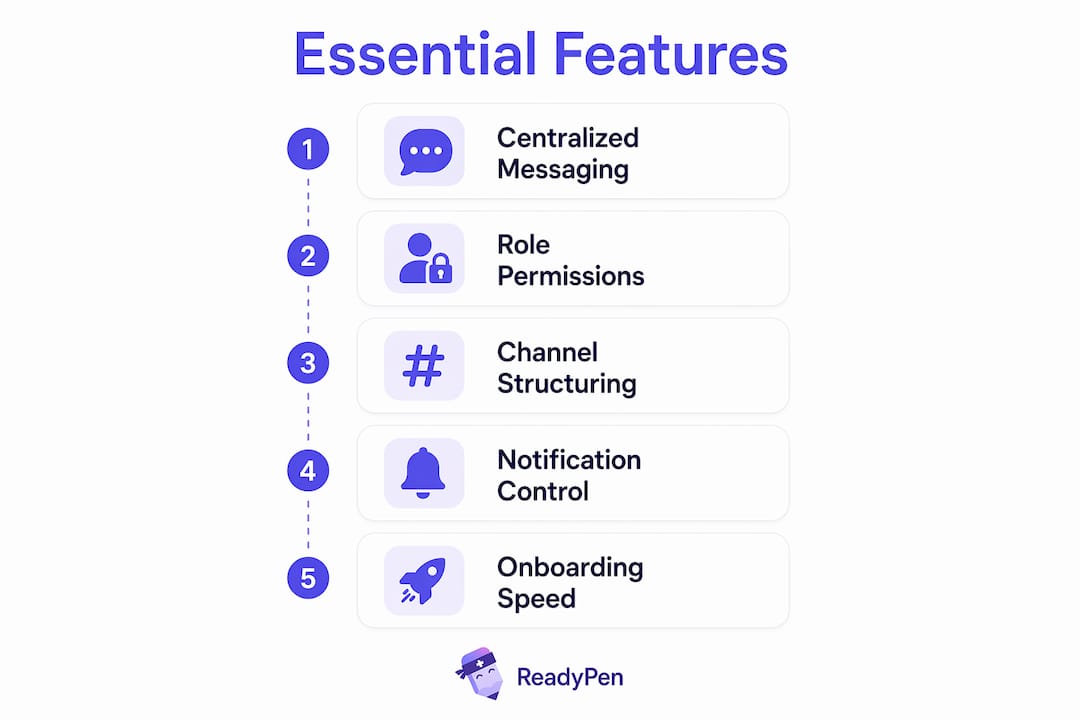
The features that matter most for church staff coordination include:
- Channel-based messaging organized by ministry area, project, or urgency level
- Role-based permissions so volunteers see what they need and sensitive discussions stay private
- SMS and email integration to reach members who are not inside the app
- Audit trails and message history for accountability and reference
- Calendar and church management system (ChMS) sync to keep group memberships current automatically
Role-based permissions deserve special attention. When a youth director can only access youth ministry channels, the noise drops significantly. Staff members stop receiving announcements meant for other teams, and sensitive pastoral conversations stay protected.
Pro Tip: Structure your channels around communication type, not just team. Create separate channels for urgent decisions, weekly logistics, and general announcements. This single change reduces the feeling that everything is an emergency.

Onboarding speed matters too. Migrating staff communication to a centralized platform typically takes 2–4 weeks. That timeline assumes you have your staff list, role assignments, and basic channel structure ready before you start. Prepare those three things first and you will cut setup time in half.
How do church communication systems improve collaboration and meeting productivity?
Centralized communication produces measurable results. Churches that consolidated email, SMS, and social messaging into one unified hub saved over 15 hours weekly in administrative work and saw midweek service attendance increase by 35–40% within three months. That attendance figure is striking. It suggests that better internal coordination translates directly into better member experience, not just staff efficiency.
“Better staff communication aims for alignment, not volume. Clear protocols on message types avoid overload and improve focus.” — Interact
The meeting productivity gains are equally significant. When staff members arrive at a meeting already aligned on context, the meeting itself shortens. Decisions that previously required 45 minutes of background explanation take 10 minutes because everyone read the same pre-meeting thread. Follow-up tasks get assigned inside the platform, so nothing falls through the cracks between meetings.
Notification fatigue is the hidden enemy of productive church teams. When every message arrives with the same urgency signal, staff members start ignoring notifications entirely. Managing notification fatigue with channel separation and status settings keeps staff productive and reduces burnout. A simple rule like “urgent channel gets a notification, general channel does not” changes the culture around responsiveness.
Documentation is the piece most church teams underinvest in. A communication platform captures decisions in writing, but someone still needs to summarize what was agreed in a meeting and assign next steps. Teams that pair their messaging platform with a meeting documentation tool close this gap. You can read more about running efficient church staff meetings to see how documentation and communication work together.
What are the top platforms for church staff communication compared?
The field breaks into general-purpose tools adapted for churches and platforms built specifically for ministry organizations.
| Platform | Best for | Key strength | Notable limitation |
|---|---|---|---|
| Slack | Mid-to-large church staffs | Channel organization, integrations | Not ministry-specific; requires setup discipline |
| Church HQ | Growing churches wanting an all-in-one | ChMS sync, SMS automation, analytics | Newer platform; smaller user community |
| Church Central Cloud | Churches needing quick deployment | Fast setup, three-tier communication model | Less customization than Slack |
| Called.app | Security-conscious ministries | Owned environment, audit trails | Smaller feature set overall |
Slack organizes staff communications into channels by topic and role, with tailored notification settings that prevent overload. It is not built for churches, but its flexibility makes it the most widely adopted general platform in ministry settings. The tradeoff is that Slack requires intentional channel governance. Without defined naming conventions and a clear channel structure, Slack becomes as chaotic as the group texts it replaced.
Church HQ takes a different approach. It integrates with church databases to automate group membership updates, which eliminates the manual work of adding and removing staff as roles change. That integration is a significant time saver for churches with high volunteer turnover.
Pro Tip: Before choosing a platform, audit how your staff currently communicates. List every tool in use: email, text, Facebook groups, WhatsApp. The platform that replaces the most of those tools with the least friction wins, regardless of feature count.
Security is a non-negotiable factor. Using consumer apps like WhatsApp for staff communication risks data privacy and organizational control. Consumer platforms do not offer audit trails, admin-level governance, or the ability to revoke access when a staff member leaves. A purpose-built or enterprise-grade platform gives you owned, governed communication from day one.
What are the key challenges when implementing a church communication system?
Implementation fails more often from culture than from technology. New systems require defined rules of engagement and user alignment for successful adoption. A platform no one uses consistently is worse than no platform at all, because it creates a false sense that communication is happening.
The most common implementation mistakes, in order of frequency:
- Launching without a usage policy. Staff members default to their old habits because no one told them what the new expectation is. Write a one-page policy before launch that defines which channel handles which type of message.
- Treating every channel as urgent. Treating every message as urgent causes communication failures. Define three tiers: urgent (requires same-day response), logistics (respond within 24 hours), and informational (no response needed).
- Skipping role-based access setup. Dumping everyone into the same channels recreates the noise problem you were trying to solve.
- Ignoring data privacy. Data privacy and controlled ownership of communication flows protect sensitive ministry discussions. Assign an admin who controls access and can remove former staff members immediately.
- Failing to train volunteers. Paid staff adapt faster than volunteers. Build a short onboarding guide specifically for part-time and volunteer team members.
The cultural resistance piece is real. Pastors and long-tenured staff often feel that a new app is unnecessary complexity. The most effective argument is not about features. It is about time. Show them the hours currently lost to repeated questions, missed messages, and duplicate announcements. That conversation changes minds faster than any product demo.
Corporate chat platforms offer governance, traceability, and broadcast channels that consumer apps simply cannot match. Frame the switch as a protection for the ministry, not an upgrade for tech enthusiasts.
Key takeaways
Effective church staff communication systems reduce administrative overhead, improve meeting productivity, and protect sensitive ministry data when implemented with clear protocols and the right platform.
| Point | Details |
|---|---|
| Centralize all channels | Replace scattered texts and email chains with one governed platform to cut weekly admin time. |
| Define communication tiers | Separate urgent, logistical, and informational messages to prevent notification fatigue. |
| Prioritize ChMS integration | Platforms that sync with your church database automate access management and reduce manual work. |
| Address culture before launch | Write a usage policy and train every team member before the platform goes live. |
| Pair messaging with documentation | A communication platform captures conversations; a meeting documentation tool captures decisions. |
What I’ve learned from watching churches get this wrong
I have watched ministry teams invest in solid communication platforms and still fail. The pattern is almost always the same. Leadership picks the tool, announces it in a staff meeting, and assumes adoption will follow. It does not.
The teams that succeed treat the platform launch like a change management project, not a software rollout. They assign a communication champion, usually an admin or operations pastor, who owns the channel structure and enforces the usage policy. That person is the difference between a tool that transforms coordination and one that collects dust.
The other thing I have noticed is that churches underestimate how much meeting follow-up drives communication culture. When a meeting ends without written decisions and assigned tasks, staff members fill the gap with informal messages, which means the chaos migrates back into text threads and email. Pairing your messaging platform with a tool that documents decisions and builds team trust is not optional. It is the piece that makes everything else stick.
My honest recommendation: start with fewer channels than you think you need. You can always add more. Churches that launch with 20 channels on day one overwhelm their teams. Start with five, get adoption, then expand. The goal is a system your whole team actually uses, not the most feature-complete platform on the market.
— Robbie
How Readypen supports your church communication system
Church communication platforms handle the conversation. Readypen handles what comes out of it.
Readypen is an AI-powered meeting documentation tool built specifically for churches, pastors, and ministry teams. It automatically generates meeting minutes and summaries from conversations or recordings, so your staff meetings produce clear written records without anyone spending 30 minutes typing notes afterward. Every decision, every assigned task, and every follow-up item gets captured and structured automatically. For ministry leaders who run multiple meetings each week, Readypen closes the gap between what was discussed and what actually gets done. Explore the church meeting minutes guide to see how documentation fits into your broader communication system.
FAQ
What is a church staff communication system?
A church staff communication system is a centralized platform that organizes internal messaging, task coordination, and team collaboration for church staff and volunteers. It replaces scattered texts, emails, and consumer apps with a single governed environment.
How long does it take to set up a church communication platform?
Migrating to a centralized platform typically takes 2–4 weeks. Having your staff list, role assignments, and channel structure ready before you start shortens that timeline significantly.
Why should churches avoid WhatsApp or Facebook for staff communication?
Consumer apps like WhatsApp lack audit trails, admin-level governance, and access revocation controls. They expose sensitive ministry discussions to data privacy risks and give the organization no control over message history.
What is the biggest reason church communication systems fail?
Adoption fails when leadership launches a platform without a defined usage policy. Without clear rules on which channel handles which type of message, staff default to old habits and the new tool goes unused.
How does meeting documentation connect to staff communication?
A messaging platform captures ongoing conversations, but meeting documentation captures decisions and assigned tasks. Pairing both tools closes the gap between discussion and follow-through, which is where most church teams lose accountability.