Church Admin Workflow Automation: A Practical Guide

Church Admin Workflow Automation: A Practical Guide
Church admin workflow automation is the use of technology to handle repetitive administrative tasks automatically, freeing church staff to focus on ministry rather than paperwork. Automation can save church staff 10–15 hours per week by taking over data entry, visitor follow-up, and routine communications. That time goes back to the people and work that actually require a human presence. Yet only 16% of church leaders currently use AI to automate administrative workflows, even though 61% use AI tools regularly. The gap between what is possible and what most churches actually do is wide open.
What tasks in church admin workflow automation deliver the fastest results?
The best tasks to automate are the ones your team does the same way every single time. Visitor follow-up emails, volunteer scheduling reminders, event registration confirmations, and giving receipts all fit that description. Each one follows a fixed pattern, requires no pastoral judgment, and takes real time to complete manually.
A useful framework for deciding what to automate is called “Scaffolding vs. Soul.” Scaffolding is the structural work that holds ministry together: formatting, scheduling, data processing, and routine communications. Soul is the relational, pastoral work that requires a human voice. Automation belongs in the scaffolding, not the soul. A welcome email to a first-time visitor is scaffolding. A follow-up phone call from a pastor is soul.
Here are the highest-value tasks to automate first:
- Visitor follow-up emails: Trigger a personalized welcome message the moment a guest fills out a connection card.
- Giving receipts: Send automatic tax-compliant receipts after every online donation.
- Volunteer reminders: Schedule automated texts or emails 48 hours before a serving shift.
- Event communications: Automate registration confirmations, reminders, and post-event thank-you messages.
- Meeting notes and summaries: Use AI-powered tools to generate structured documentation from recorded conversations.
Setting up each automated task typically takes under 30 minutes and saves roughly 45 minutes per week per task. That math adds up fast across a full church calendar.
Pro Tip: Start with giving receipts. They are legally required, time-sensitive, and completely formulaic. Automating them first gives your team an immediate win with zero pastoral risk.
What tools support effective church admin workflow automation?
The right tools make the difference between automation that works and automation that creates more problems. Church management software, commonly called ChMS, is the foundation. A good ChMS connects membership records, giving data, volunteer scheduling, and communications in one place.

Centralized church management software that integrates membership, giving, and volunteering data delivers the highest return on investment compared to using separate tools for each function. When your data lives in one system, automated triggers work reliably. When it is spread across three or four apps, you spend more time managing integrations than doing ministry.
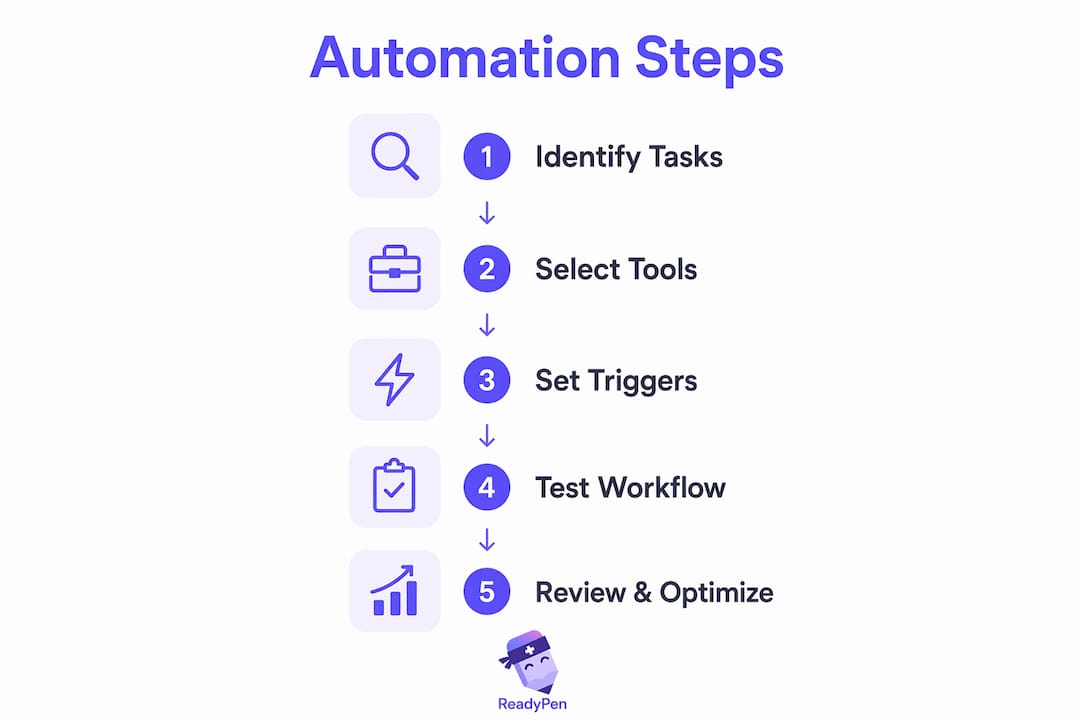
The table below shows the key feature categories to evaluate when choosing church automation tools.
| Feature category | What to look for |
|---|---|
| Communication triggers | Automated emails and texts based on member actions or dates |
| Scheduling tools | Volunteer and event scheduling with automatic reminders |
| Giving management | Donation processing with instant receipt generation |
| Reporting and analytics | Automated attendance and giving reports on a set schedule |
| Meeting documentation | AI-generated notes and summaries from recorded meetings |
| Integration capability | Connects with your existing email, calendar, and communication tools |
Beyond a core ChMS, AI-powered meeting documentation tools fill a gap that most church management platforms do not address. Automated follow-up communications improve consistency in guest follow-ups and volunteer reminders, preventing tasks from slipping through the cracks. That same principle applies to meeting notes. When documentation is automated, decisions get recorded and shared without anyone spending an hour typing up minutes.
Pro Tip: Before buying any new tool, map out your current workflow on paper. Identify where tasks stall or get dropped. Buy tools that fix those specific gaps, not tools with the most features.
How to implement church admin workflow automation step-by-step
A phased rollout is the most reliable way to introduce automation without disrupting your team or your congregation. Effective implementation takes about four weeks, starting with low-risk tasks and expanding as your team builds confidence.
-
Assign an automation coordinator. Designate one staff member or volunteer as the point person for all automation setup and monitoring. This person does not need to be a tech expert. They need to be organized and willing to learn.
-
Audit your current tasks. List every recurring administrative task your team handles. Note how long each one takes and how often it repeats. This audit becomes your automation priority list.
-
Start with giving receipts and welcome emails (Week 1). These two tasks are low-risk, high-frequency, and completely formulaic. Set them up first. Let them run for a week before touching anything else.
-
Add volunteer reminders and event confirmations (Week 2). Once your team sees the first automations working, confidence grows. Layer in the next tier of tasks.
-
Introduce meeting documentation automation (Week 3). Use an AI-powered tool to generate notes and summaries from your staff meetings and elder board sessions. Review the output manually before distributing it.
-
Train staff in short, focused sessions (Week 4). Thirty-minute training sessions work better than a two-hour workshop. Cover one workflow per session. Let staff ask questions and practice before moving on.
-
Monitor and refine. Check automated workflows weekly for the first month. Look for errors, missed triggers, or feedback from members who received automated messages.
The church admin time management challenge is real, and a phased approach respects that your team is already stretched. You are not adding a project. You are replacing manual work with a system that runs itself.
Pro Tip: Document every automation you set up, including what triggers it, what it sends, and who reviews it. This log becomes invaluable when staff changes happen or something breaks.
What challenges arise during automation and how do you overcome them?
Staff resistance is the most common obstacle. People worry that automation will replace their jobs or make communications feel cold. Both concerns are valid and worth addressing directly.
The most effective response is to show, not tell. When a staff member sees that automated giving receipts freed up two hours of their Friday afternoon, resistance drops. Starting with simple, low-risk automations like giving receipts and welcome emails builds confidence before you tackle anything more complex.
Common challenges and how to handle them:
- Siloed tools: Using separate apps for email, scheduling, and giving creates gaps where tasks fall through. Consolidate into a centralized system wherever possible.
- Loss of personal touch: Every automated message that goes to a member should be reviewed by a human before the workflow goes live. Adjust the tone to match your church’s voice.
- AI-generated content errors: AI tools produce drafts, not final documents. Always assign a staff member to review AI-generated meeting notes or communications before they are shared.
- Setup mistakes: Misconfigured triggers can send duplicate messages or fire at the wrong time. Test every automation with internal email addresses before it goes live with real members.
“Automation succeeds best when human review is retained for all pastoral communications, avoiding loss of personal touch.”
Personnel costs represent 57.4% of the average church budget. Automation addresses that pressure by scaling capacity without adding headcount. That is the real business case for ministry workflow optimization. You are not cutting people. You are letting the people you have do more meaningful work.
Key Takeaways
Church admin workflow automation delivers its greatest value when it handles repetitive scaffolding tasks while keeping pastoral and relational work firmly in human hands.
| Point | Details |
|---|---|
| Start with scaffolding tasks | Automate giving receipts, welcome emails, and volunteer reminders before anything else. |
| Use centralized software | A single ChMS connecting membership, giving, and scheduling outperforms multiple siloed tools. |
| Follow a four-week rollout | Phase automation in gradually, starting with low-risk tasks and training staff in short sessions. |
| Keep humans in the loop | Always review AI-generated content before it reaches members or the congregation. |
| Document every workflow | Log every automation trigger, output, and reviewer to protect continuity when staff changes happen. |
Why I think most churches are automating the wrong things first
Most church automation conversations start with the flashiest tools: AI sermon assistants, social media schedulers, chatbots. Those are fine. But they are not where the real time drain lives for most church admins.
The real drain is documentation. Specifically, meeting documentation. The average church runs elder board meetings, staff meetings, committee meetings, and planning sessions every single week. Someone has to write up what was decided, who is responsible, and what comes next. That task almost always falls to the most organized person in the room, and it takes far longer than anyone admits.
I have seen church secretaries spend two to three hours after a single meeting turning their handwritten notes into a formatted document. That is not ministry. That is data entry with a spiritual label on it.
The “Scaffolding vs. Soul” framework gets this exactly right. Meeting documentation is pure scaffolding. It needs to be accurate and complete, but it does not require pastoral sensitivity to produce. That is precisely the kind of task that AI-powered tools handle well, and precisely where churches are leaving the most time on the table.
My honest recommendation: before you automate your social media, automate your meeting notes. The ROI is immediate, the risk is low, and the relief your admin team feels is real. Tools like Readypen exist specifically for this problem. They generate structured notes and summaries from recorded conversations, so your team walks out of every meeting with documentation already done.
Automation is not a threat to ministry. It is what makes more ministry possible.
— Robbie
How Readypen fits into your church’s automation workflow
Church admins who run multiple meetings every week know the documentation burden firsthand. Readypen is an AI-powered meeting documentation tool built specifically for churches, pastors, and ministry teams.
Readypen automatically generates meeting notes and summaries from recorded conversations, producing structured documents your team can review, approve, and distribute in minutes. It removes the manual note-taking burden from every staff meeting, elder session, and planning call. Ministry leaders can explore the full church meeting minutes guide to see how automated documentation fits into a broader admin workflow. If your team is ready to stop spending hours on meeting write-ups, Readypen is built for exactly that.
FAQ
What is church admin workflow automation?
Church admin workflow automation is the use of software to handle repetitive administrative tasks automatically, such as sending giving receipts, volunteer reminders, and visitor follow-up emails. It frees church staff to focus on ministry rather than manual data entry.
How much time can automation save a church admin?
Automation can save church staff 10–15 hours per week by handling recurring tasks like data entry and communications. Each individual task typically saves around 45 minutes per week once set up.
What is the best task to automate first in a church?
Giving receipts are the best starting point because they are legally required, completely formulaic, and time-sensitive. Automating them delivers an immediate win with no pastoral risk.
How do you prevent automated church communications from feeling impersonal?
Write automated messages in your church’s natural voice and have a staff member review every template before it goes live. Human review of AI-generated content preserves the personal tone that members expect from their church.
Do church admins need technical skills to set up automation?
Most modern church management platforms are designed for non-technical users. Designating one organized staff member as an automation coordinator is enough to get started, and most individual task setups take under 30 minutes.